

Home Renovation Budget Spreadsheet (Google Sheets & Excel)
Google Sheets + Microsoft Excel · Light & Dark Modes
Room-by-Room Estimator, 3-Bid Contractor Comparison & Contingency Tracker
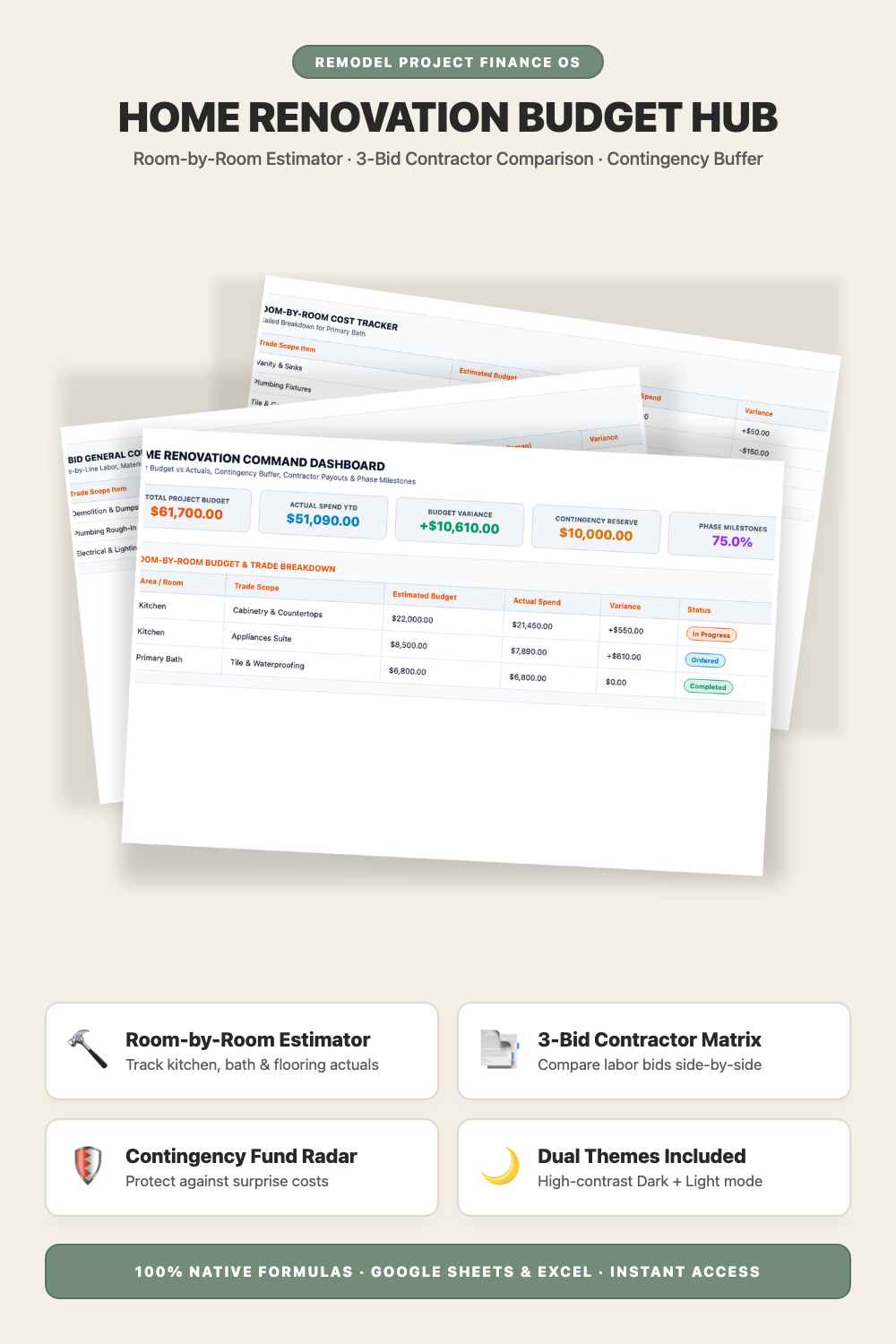
- Renovation Command Dashboard (Master budget, actual spend, variance & contingency)
- Room-by-Room Cost Estimator (Kitchen, bathrooms, living areas, flooring & trades)
- 3-Bid Contractor Comparison Matrix (Evaluate competing general contractor proposals)
- Contingency Buffer & Change Order Radar (Protect against unexpected structural repairs)
- Project Parameters & Milestones (Track target completion dates & progress %)
- Companion AI Prompt Pack Included (Contractor SOW drafting & punch list audits)
- Light & Dark Mode Included (Google Sheets + Microsoft Excel)
Instant digital download. All sales final. Message us anytime for help.
Take complete control of your home remodel, kitchen renovation, bathroom overhaul, and contractor bids. The DownloadSuite Home Renovation & Remodel Budget Hub is an automated project finance operating system engineered specifically for homeowners, DIY renovators, house flippers, and property managers.
Stop worrying about runaway contractor costs, surprise change orders, and blown renovation budgets. This all-in-one Google Sheets and Excel system organizes your entire remodel lifecycle — from tracking room-by-room estimated vs actual costs (Kitchen, Bathrooms, Living, Flooring, Electrical, Plumbing) to comparing 3 competing contractor bids line-by-line and monitoring contingency fund drawdowns.
What's Included in This System:
- Renovation Command Dashboard: High-contrast KPI cards for Master Project Budget, Actual Spent YTD, Live Budget Variance ($), Contingency Buffer Remaining ($), and Phase Milestone Completion %.
- Room-by-Room Budget & Actuals Tracker: Itemize estimated vs actual costs across Kitchen, Primary Bath, Living Areas, Basement, Hardwood Flooring, Electrical Rewire, Plumbing, and HVAC.
- 3-Bid General Contractor Comparison Matrix: Compare line-item labor quotes, payment schedules, and warranties across 3 competing general contractors side-by-side.
- Project Parameters & Contingency Settings: Configure overall project timelines, contractor selections, and 10%–20% contingency reserve budgets.
- Companion AI Prompt Guide Included: Complete 15-module prompt guide for 3-bid contractor auditing, Scope of Work drafting, change order defense, and final punch list inspections.
- Light & Dark Mode Included: High-contrast Dark Mode (Construction Orange & Slate) for evening project planning plus clean minimalist Light Mode.
How to Use:
- Open the Google Sheets link or native Excel workbook and set your project budget and contingency reserve in the Settings tab.
- Enter competing contractor quotes in the Contractor Bids tab to compare trade pricing.
- Track actual expenses and material orders in the Room Budgets tab to monitor live variance.
What's inside
- Start Here Quick-Start & Renovation Bidding Guide
- Home Renovation Command Dashboard Tab
- Room-by-Room Budget & Actuals Sheet
- 3-Bid General Contractor Comparison Matrix Tab
- Project Parameters & Contingency Settings Sheet
- Companion Home Renovation AI Prompt Pack (AI_PROMPT_GUIDE.md)
- Instant Google Sheets Copy Links + Native Excel .xlsx Workbooks
FAQ
Can I customize the rooms and trade categories?
Yes! You can add, rename, or customize any room (Kitchen, Basement, ADU, Deck) or trade category (Drywall, Framing, Tile) to fit your exact remodel project.
How does the 3-bid contractor comparison matrix work?
It allows you to enter line-item quotes from 3 contractors to highlight pricing discrepancies, missing scope items, and find the best value proposal.
Does it work in Excel and Google Sheets?
Yes! Both native Microsoft Excel (.xlsx) workbooks and instant Google Sheets copy links in Light and Dark themes are included.